原文核对:2026-10-13 · 中文正文 · 英文提示词与演示
场景定位
让 Codex 检查近期告警、issue、失败检查、日志和聊天报告,在同一对话中调整清单,再按计划定期执行。
- 难度
- 中级
- 时间跨度
- 1 小时
适合用于
- 缺陷线索分散在 Sentry 告警、Slack 会话、Linear 或 GitHub issue、失败的 PR 检查、客服工单和日志中的团队。
- 希望先在同一 Codex 对话里手动验证,再设为定时任务的分诊流程。
相关工具
起步提示词
英文原文 · 可复制后按实际材料修改
Run a bug triage sweep for [repo/service/team] covering the last [time window].

Use these plugins: [@Sentry / @Slack / @Linear / @GitHub / none]

Input sources:
- Sentry: [project / alert link / none]
- Slack: [channel / thread links / none]
- Linear: [team / project / view / issue query / none]
- GitHub: [repo / issue query / PR checks / none]
- Other: [logs / support tickets / deploy link / dashboard / attached file / none]

Output format:
First, name any input source you could not access.
Then return a prioritized list of bugs, sorted from P0 to P3.
If you find no bugs, say: No qualifying bugs found.

For each bug, include:
- Priority: P0, P1, P2, or P3
- Title
- Evidence (links or short citations)
- Recommended next action

Rules:
- Do not post, create, assign, label, close, rerun, or edit anything.
- Group duplicate reports under one bug.
- Keep observed evidence separate from guesses.
使用方法
让 Codex 检查缺陷已经出现的位置:Sentry 告警、Linear 和 GitHub issue、PR 检查、部署日志、客服工单和 Slack 会话。先手动检查一次,在对话中调整报告,再定期运行。
在同一个 Codex 对话中完成整个分诊循环:
- 按需运行一次检查,得到清单草稿。
- 在同一对话中审阅清单并提供反馈。
- 从该对话设置定时分诊任务。
- 可选:当报告可靠后,让 Codex 起草 Linear issue、Slack 更新、GitHub 评论或交接说明。
开始前安装需要的插件,例如 Sentry、Slack、Linear 或 GitHub。将起步提示词中方括号内的插件列表替换成实际的 @ 插件标签,再将每个来源占位符替换成准确位置:Sentry 项目或告警 URL、Slack 频道或会话、Linear 团队、视图或查询、GitHub 仓库、issue 查询或 PR 检查、部署链接、日志文件、客服队列或仪表盘。
第一阶段:执行检查
需要测试、仓库工具、构建检查或 CI 失败等本地上下文时,在负责这些缺陷的仓库中启动 Codex。如果来源可以通过插件、连接器、MCP 服务、链接、导出文件、粘贴的日志或附件获取,也可以从任何仓库发起检查。
先运行上方起步提示词,只保留本次需要的插件和来源。
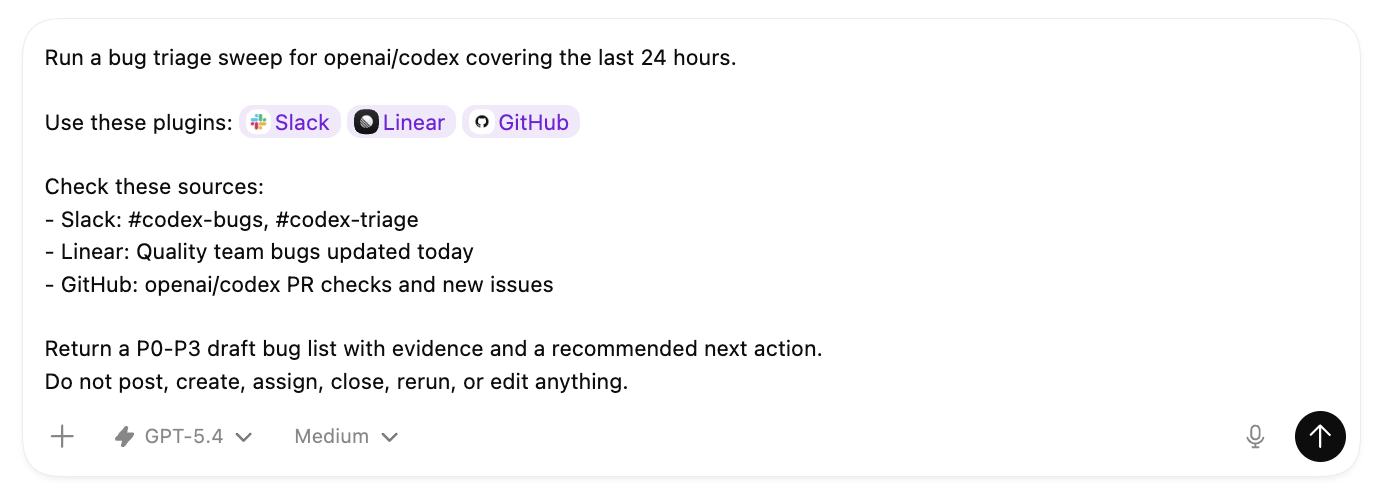
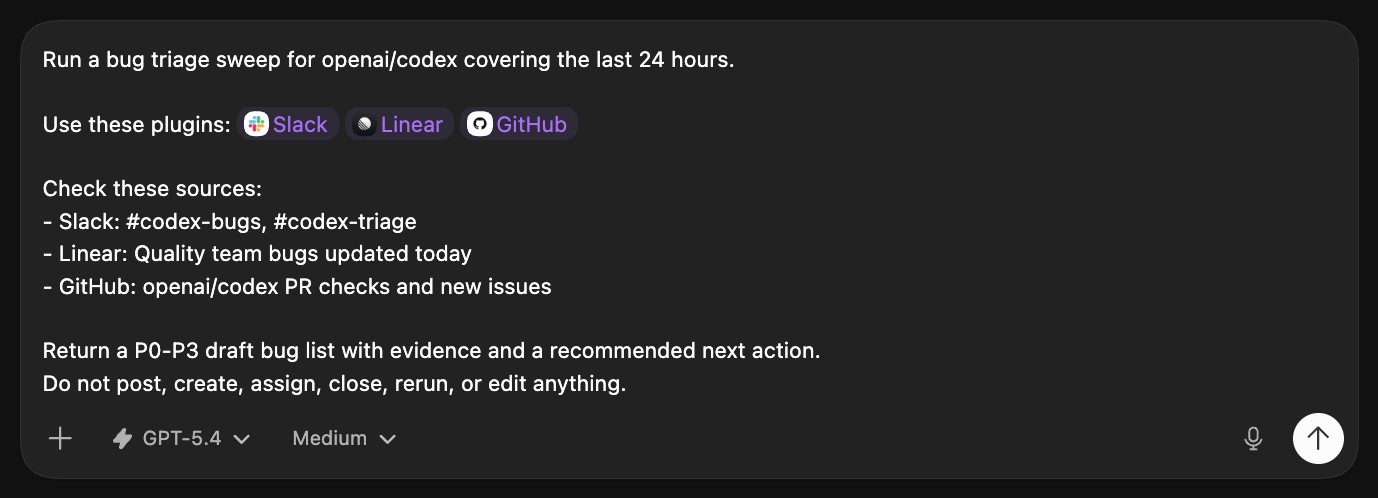
填写好的提示词可以列明插件,以及需要检查的具体队列、频道或仓库。
第二阶段:让报告有用
自动化之前,先确认报告值得每天阅读。
有用的首轮结果应包含:
- 按 P0 到 P3 排序的重要缺陷。
- 同一缺陷的重复报告合并在一起。
- 每个缺陷附有证据链接或简短引用。
- 区分推测与观察到的事实。
- 每个缺陷附有简短的下一步建议。
安排定时任务前,在同一对话中调整报告。可以要求 Codex:
- 排序前再检查一个来源。
- 去掉团队已经了解的噪声告警。
- 仅返回 P0 和 P1 缺陷。
- 如果 Slack 报告、Sentry 告警和 GitHub 失败指向同一缺陷,将其合并。
- 为每个缺陷展示一个最有用的链接。
- 补足证据,让其他人能复现问题或转交合适的人处理。
第三阶段:自动化
当按需报告足够有用后,继续在同一对话中为分诊设置定时任务。Codex 可以根据你在对话中完善的要求编写循环执行的提示词。
安排定时分诊
官方提示词
英文原文 · 可复制后按实际材料修改
Schedule a task for the bug triage workflow we refined in this chat.

Schedule: [every hour / every weekday morning / daily]

Use the same sources, priority rules, duplicate grouping, evidence style, and P0-P3 report format from this chat.

When you write the prompt for this scheduled work, include the plugin mentions or connected-source instructions the scheduled run needs to read those sources again.

Keep the scheduled work draft-only. Do not post, create, assign, label, close, rerun, start fixes, or edit code.

Before you schedule it, show me the task prompt, schedule, sources, and action policy.
第四阶段:安排后续处理
定时报告可靠后,再决定后续工作的去向。Codex 可以为团队频道起草 Slack 更新,为要跟踪的缺陷撰写 Linear issue,为失败 PR 撰写 GitHub 评论,或为值班人员生成交接资料。
官方提示词
英文原文 · 可复制后按实际材料修改
Update the bug triage task scheduled from this chat.

After each scheduled run, draft the follow-up I need:

- Slack update for [channel]
- Linear issues for [which bugs should become issues]
- GitHub comment for [issue / PR / failing check]
- Handoff note for [team / on-call / owner]

Rules:

- Draft the follow-up in Codex first.
- Do not post to Slack, create Linear issues, or comment on GitHub until I explicitly approve that action.
- Include links to existing Linear, GitHub, Slack, or alert sources when available.
- Keep draft-only behavior for any action not explicitly approved.
技术栈
| 需要 | 默认选项 | 用途 |
|---|---|---|
| 问题上下文来源 | Sentry 告警、Slack 频道、Linear 视图、GitHub 问题、PR 检查、客服队列、值班笔记、日志、仪表盘和部署说明 | 明确指定 Codex 应检查的队列、频道、视图、仓库、告警链接、仪表盘和文件。 |
| 读取方式 | Slack、Linear、GitHub 和 Sentry 插件,连接器、MCP 服务、仓库 CLI、链接、导出文件、附件和粘贴的日志Plugins ↗MCP servers ↗ | 优先安装已有集成。对于尚不可读的内部来源,构建或配置小型 MCP 服务、CLI、导出或仪表盘链接。 |
展开英文原文对照
Ask Codex to check recent alerts, issues, failed checks, logs, and chat reports, tune the list in one chat, then run that sweep on a schedule.
How to use
Ask Codex to check the places where bugs already appear: Sentry alerts, Linear issues, GitHub issues, PR checks, deploy logs, support tickets, and Slack threads. Start with one manual sweep, tune the report in the chat, then run it on a schedule.
Use one Codex chat for the whole triage loop:
- Run an on-demand sweep and get a draft list.
- Review the list and give feedback in that same chat.
- Schedule a task for the triage work from that chat.
- Optional: ask Codex to draft Linear issues, Slack updates, GitHub comments, or handoff notes when you are confident in the report.
Before you start, install the plugins Codex needs, such as Sentry, Slack, Linear, or GitHub. In the starter prompt, replace the bracketed plugin list with real @ plugin chips. Then replace each bracketed source with the exact place to search: a Sentry project or alert URL, Slack channel or thread, Linear team, view, or query, GitHub repo, issue query, or PR check, deploy link, log file, support queue, or dashboard.
Phase 1: Run the sweep
Start Codex from the repo that owns the bugs when local context helps: tests, repo tooling, build checks, or CI failures. You can also run the sweep from any repo if your bug sources are available through plugins, connectors, MCP servers, links, exports, pasted logs, or attachments.
Run the starter prompt above first. Keep only the plugins and sources that are part of your sweep.
For example, a filled-in prompt can name the plugins and the exact queues, channels, or repos you want in the sweep.
Phase 2: Make the report useful
Before you automate, make sure the report is useful enough to read every day.
A useful first run has:
- High-signal bugs sorted from P0 to P3.
- Duplicate reports are grouped under one bug.
- Each bug has linked evidence or short citations.
- Guesses are separated from observed facts.
- Each bug has a short recommended next action.
Tune the report in the same chat before you schedule it. You can ask Codex to:
- Check one more source before ranking the list.
- Drop noisy alerts that the team already knows about.
- Only return P0 and P1 bugs.
- Merge Slack reports, Sentry alerts, and GitHub failures when they point to the same bug.
- Show the single best link for each bug.
- Add enough evidence that someone else can reproduce or route the issue.
Phase 3: Automate it
When the on-demand report is useful, stay in the same chat and schedule a task for the triage work from it. Codex can use what you refined in the chat to write the recurring prompt.
Schedule the triage work
官方提示词
英文原文 · 可复制后按实际材料修改
Schedule a task for the bug triage workflow we refined in this chat.

Schedule: [every hour / every weekday morning / daily]

Use the same sources, priority rules, duplicate grouping, evidence style, and P0-P3 report format from this chat.

When you write the prompt for this scheduled work, include the plugin mentions or connected-source instructions the scheduled run needs to read those sources again.

Keep the scheduled work draft-only. Do not post, create, assign, label, close, rerun, start fixes, or edit code.

Before you schedule it, show me the task prompt, schedule, sources, and action policy.
Phase 4: Route follow-ups
Once the scheduled report is useful, decide where the work should go next. Codex can draft a Slack update for a team channel, write Linear issues for the bugs you want to track, write GitHub comments for a failing PR, or produce a handoff for whoever is on call.
官方提示词
英文原文 · 可复制后按实际材料修改
Update the bug triage task scheduled from this chat.

After each scheduled run, draft the follow-up I need:

- Slack update for [channel]
- Linear issues for [which bugs should become issues]
- GitHub comment for [issue / PR / failing check]
- Handoff note for [team / on-call / owner]

Rules:

- Draft the follow-up in Codex first.
- Do not post to Slack, create Linear issues, or comment on GitHub until I explicitly approve that action.
- Include links to existing Linear, GitHub, Slack, or alert sources when available.
- Keep draft-only behavior for any action not explicitly approved.